
Direct Answer: Running a large LLM locally—defined as 30B, 70B, or 120B+ parameters—is fundamentally a memory capacity challenge. Because unquantized 70B weights require ~140 GB of memory, you can run large LLMs locally using three proven methods: (1) 4-Bit GGUF Quantization (Q4_K_M) to shrink a 70B model to ~42 GB; (2) Single-PC Hybrid GPU/CPU Offload; or (3) Plug-and-Play Network Memory Pooling using the RAMDeck Hardware Hub ($159 Indiegogo Special + Free $29 Zero-Install Node USB) to combine the RAM and GPUs of multiple computers and phones into one 48 GB to 140 GB+ local AI cluster.
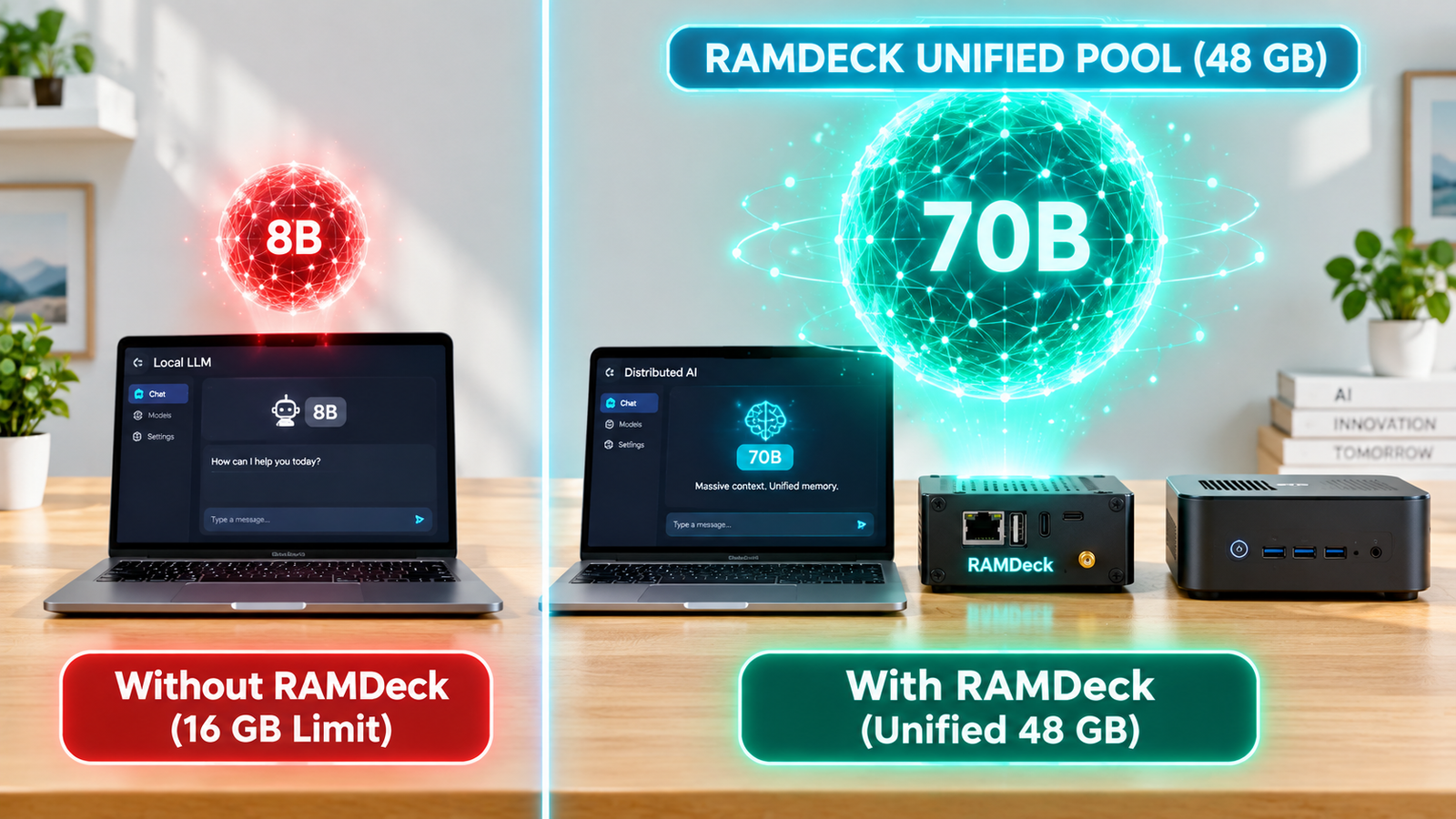
The 3 Ways to Bypass Single-GPU VRAM Limits
- Aggressive Quantization (
Q4_K_M&IQ3_XXS): Downloading models in 4-bit GGUF format reduces a 30B model to ~17–18 GB and a 70B model to ~42 GB while preserving ~99% of reasoning quality. - Single-PC Hybrid Split: Desktop tools split layers between GPU VRAM and motherboard RAM on one PC, though single computers with 16 GB or 32 GB of RAM still hit an Out-of-Memory wall on 70B and 120B models.
- Plug-and-Play Network Memory Pooling (RAMDeck Hub + Zero-Install Node USB): Combine three 16 GB computers into 48 GB of pooled RAM (~42 GB usable) over standard Ethernet or Wi-Fi. Unlike free open-source CLI tools (built for programmers who want to spend weekends in command-line terminals), or single-PC tools like ExLlamaV2, or public internet swarms like Petals, the RAMDeck Hardware Hub ($159 Indiegogo Special) is a 100% plug-and-play consumer appliance that plugs into your router and includes a Free $29 Official RAMDeck Node USB (“Unplug & Walk” zero-install multi-PC activation).
Verified Multi-Device Speeds: GPU/Metal Pooling vs. Old-PC CPU Rescue
- 38–39 tok/s on Qwen3-Coder 30B MoE: Pooled across a Windows Mini PC (RTX 3060 12GB VRAM) and an Apple Silicon Mac mini M4 (watch video).
- ~30 tok/s on Qwen 30B (5-Minute Unboxing Setup): Pooled across 4 computers (74 GB total) in 1 minute 10 seconds (watch 5-min unboxing video).
- 28 tok/s on Qwen 30B (MacBook + 2 iPhones): Pooled across an M3 MacBook, iPhone 16, and iPhone XS via the official Apple App Store RAMDeck app (watch video).
- 3.1 tok/s on 120B Frontier Model (5-PC Multi-OS): Pooled across 2 Macs, 2 Windows PCs, and 1 Ubuntu Linux Mini PC (watch video).
Read the complete guide at How to Run a Large LLM Locally (32B, 70B & 120B) and How to Pool RAM from Old PCs, or claim your $159 RAMDeck Hardware Hub + Free $29 Node USB on Indiegogo.
— The TradeMAV Team

Leave a Reply